01
RequiredHeader (name and contact)
Your full name in 18 to 20 point bold, then a single line of plain text with city, email, phone and LinkedIn URL. Plain text in the body, never in the Word header bar.
A single-column Word and Google Docs template engineered to parse cleanly in Workday, Greenhouse, Lever, iCIMS, Taleo and SmartRecruiters. Fill in your details, score it free, send it out.
Drop your CV to start
.pdf, .docx or .doc, up to 10 MB
Prefer not to upload yet? See a sample report
Free, no email gate. The Word file works in Word, Pages, Google Docs and LibreOffice without conversion damage.
Most "ATS-friendly" templates online are not. They look clean, they read well to a human, and they break the parser in specific repeatable ways. The 2026 Resume Optimizer Pro tests found 72 percent of popular Canva templates failed basic ATS parsing. The issue is not the design tool, it is using a design-first document in a parser-first hiring pipeline.
The template you download here was structured against the parsing behaviour of Workday, Greenhouse, Lever, iCIMS, Taleo and SmartRecruiters. Single column so the strict parsers (Workday, Taleo) cannot scramble it. Standard section labels so the keyword search in iCIMS hits the right blocks. Plain text contact info in the body so the systems that skip the document header bar still see your email.
Read the underlying rules in our ATS-friendly resume guide. When you have filled the template, drop it into our free ATS checker to confirm the score.
Five required, two optional. They map onto the structured fields every major ATS extracts.
Your full name in 18 to 20 point bold, then a single line of plain text with city, email, phone and LinkedIn URL. Plain text in the body, never in the Word header bar.
Two or three sentences. Seniority, function, two strongest specialisms, one quantified outcome. Anchors the rest of the CV for both the parser and the recruiter.
Company name first, role title second, dates and location on the same line below. Three bullets per role, each starting with a different action verb. Reverse chronological order.
Comma-separated list of tools, languages and methods you actually use. Maintain a dedicated block near the top so the ATS skill search hits it first.
Degree, university, year range. One detail line for distinction or relevant dissertation. Skip secondary school once you have a degree.
Optional. Useful for engineering, design, research, or anyone with a portfolio. One line per project, with the link inline as plain text.
Optional. Name, issuer, year. One line each. Include only the certifications recruiters in your function recognise.
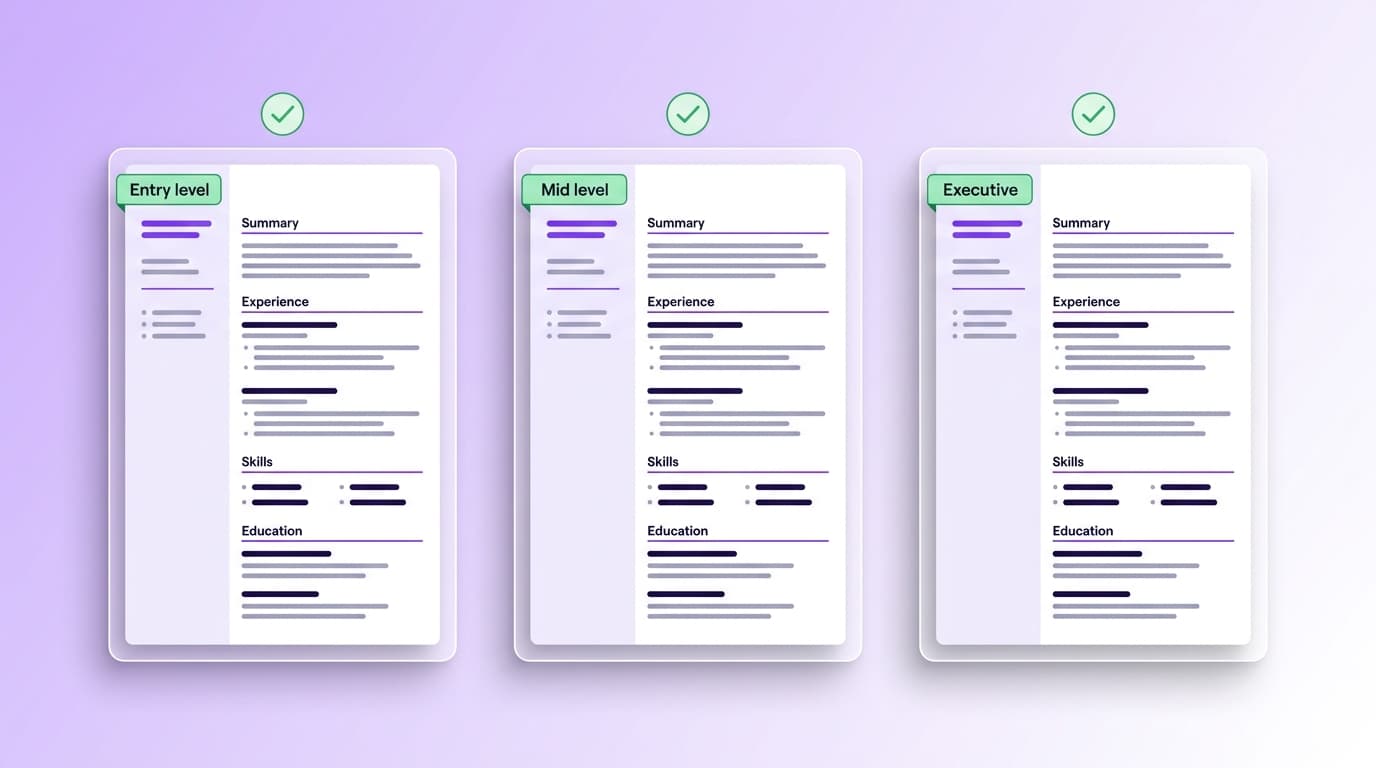
The download contains one master file. Reorder the sections based on where you are in your career. Recruiter attention concentrates on the top of page one, so put your strongest signal there.
Graduates, interns and people with under three years of experience
Order: Header, Summary, Education first, Experience second, Projects, Skills, Certifications. Education leads because that is your strongest signal.
Three to ten years of experience, typical individual contributor or first-line manager
Order: Header, Summary, Experience, Skills, Education, Certifications, Projects. Experience leads. Aim for one to one and a half pages.
Senior leadership, ten years and up, or specialist track equivalent
Order: Header, Summary, Experience, Selected accomplishments, Board and advisory, Education. Two pages is fine. Quantify outcomes at the company level.
Every mistake below makes the parser miss something. Run your filled CV through the checker after each edit to confirm the score holds.
Independent 2026 testing of 50 popular Canva resume templates found 72 percent failed basic ATS parsing. Canva exports often render text as image layers or vector objects that parsers cannot read.
Use our Word template, or pick one of Microsoft's ATS templates in Word. If you want a designed PDF for human readers, send it separately after the ATS gate. The full ATS rules are in our [ATS-friendly resume guide](/hub/ats-friendly-resume).
A 60 percent filled bar does not tell the parser whether you are intermediate, advanced or expert. The skill effectively disappears from the searchable record.
Use a comma-separated list. Add a proficiency word only when it changes meaning: Fluent, Native, Working knowledge.
Many parsers skip the document header and footer regions entirely. Your name and email end up missing from the parsed record.
Keep all contact details as plain text in the body, at the top of page one. The template ships this way already.
Renaming "Experience" to "My Career Story" tells iCIMS and similar systems that the section is a biography block, and they downweight it during keyword search.
Keep the labels exactly as the template ships: Summary, Experience, Skills, Education. The boring labels are the searchable ones.
A submitted template with "Two to three sentence pitch" still in the Summary block tells the recruiter you did not edit the file. We see this more often than you would think.
Search the doc for every word in italic or grey and replace before exporting. Run it through our [free ATS checker](/hub/ats-resume-checker) to confirm.
A PDF that looks fine on screen can still be text-as-image when exported from some apps. Once the text is an image, the ATS sees nothing.
After exporting, open the PDF, select all, copy, paste into a plain text editor. If the words come back as words, you are good. If not, export as DOCX instead.
Drop your filled CV into the free checker and see your score plus a ranked fix list in under a minute.
Everything we get asked about the template, the file formats and how to keep ATS friendliness while customising.
ATS optimisation
How to extract keywords from a job spec, where to place them in your CV, and why 15 to 25 is the sweet spot. With the keyword-stuffing detectors to avoid and a free checker at the end.
ATS optimisation
A seven-step workflow to take an existing CV from the median 48 score to 80 plus. With before-and-after examples, the order you should fix things in, and the free check at the end.
ATS optimisation
The three CV formats (reverse chronological, functional, hybrid) and how each parses across Workday, Greenhouse and Lever. With section order, file type, file naming, and the format Jobscan recruiters say is the top factor.
How applicant tracking systems work and what they parse before a recruiter ever opens your CV.
Read articleProfessional summaries by seniority, with templates and the words that actually pull recruiter attention.
Read articleThe skills that score highest in 2026 and how to phrase them so a parser picks them up.
Read article